Apple MacBook Pro 15 Inch Aluminum (pre-2009) Replacement Keys

Please take a moment to determine your clip style.
- 1)Remove a key from your keyboard and inspect the parts underneath.
- 2)Compare your retainer clip with the pictures below.
- 3)Click 🔍 Zoom to magnify, then click the picture that matches.
The retainer clip is the plastic hinge that holds the key to the keyboard.
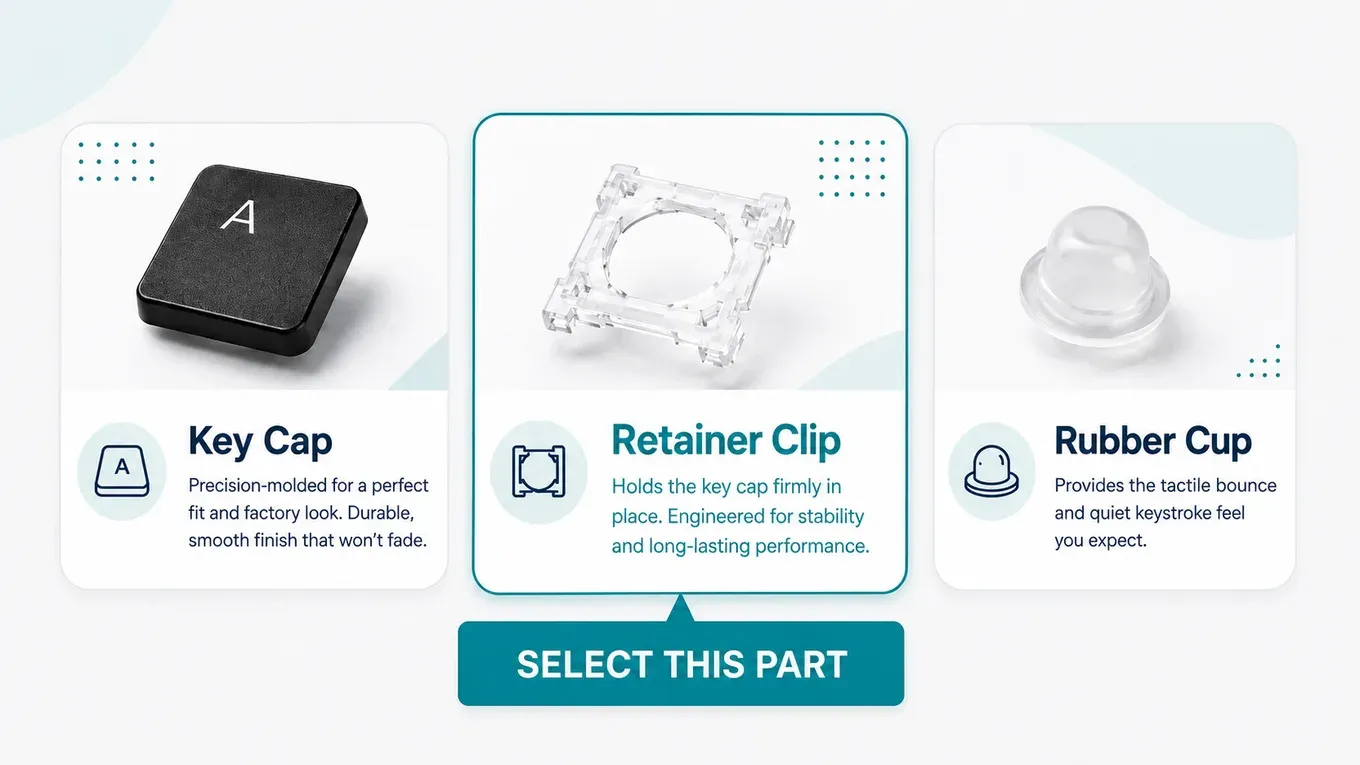
Not sure which one matches?
You can still order — we'll confirm the exact clip from photos before we charge you.

Part # AP2A

Part # AP2B
Not sure which one matches?
You can still order — we'll confirm the exact clip from photos before we charge you.
How “I can’t decide” works
Not sure which retainer clip you have? You can still order today.
- 1
Choose “I can’t decide” and pick the keys you need from the keyboard as usual.
- 2
Check out. We place a temporary hold on your card — you aren’t charged until your clip is confirmed.
- 3
Send photos of your keyboard with a key removed. After checkout, scan your QR code to send them straight from your phone (link also emailed).
- 4
We confirm your clip, charge only the correct amount, and ship your order.
Clip style: to be confirmed
No problem — you can still order. We'll place a temporary hold on your card for the highest possible price, then you'll send us a few photos through your Clip Verification Portal. A real person matches your clip, and we only charge the correct amount — never more than the hold. Your order ships once your clip is confirmed.

Part #: ← Select a clip style above
starting from
$7.95
per full key repair kit (cap + retainer + cup)
Free shipping. No hidden fees.- 1 This image shows your exact keyboard model. Check the photo matches your keyboard.
- 2 Hover over the keyboard to highlight individual keys. Tap the key you need to replace to add it to your cart.
- 3 Click the key you need to replace to add it to your cart.
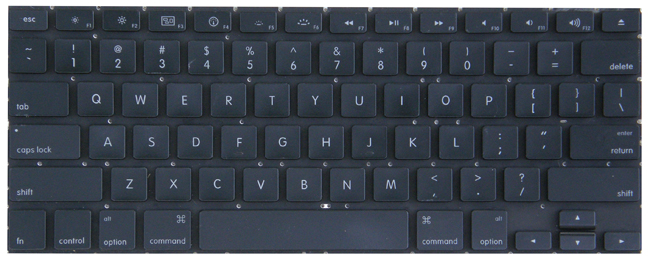
Does this match your keyboard?
Compare the key layout, especially the arrow keys and the top row, with your laptop.
Not your keyboard? Choose a different model or version