Dell Latitude 3150 Replacement Keys
OEM replacement key repair kit for the Dell Latitude 3150. Each kit includes the keycap, retainer clip, and rubber cup — everything needed for a complete repair.

One quick check before you pick keys
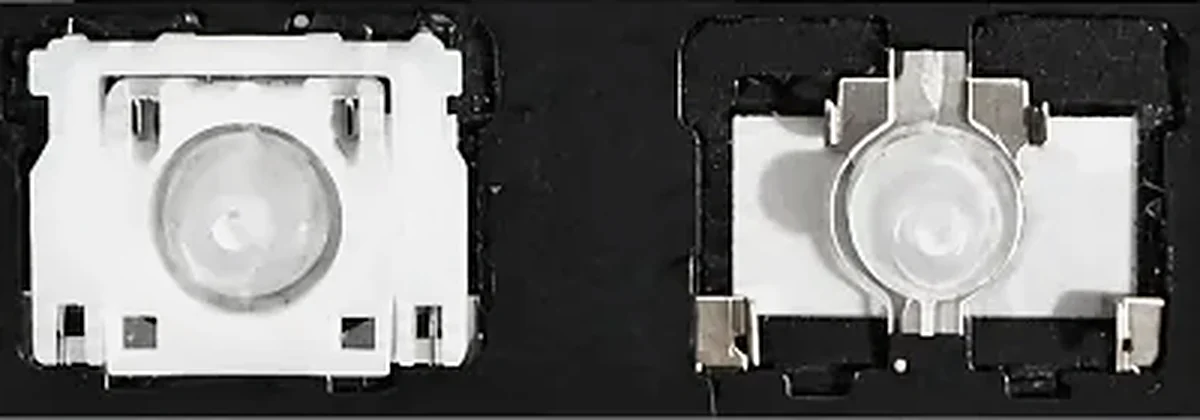
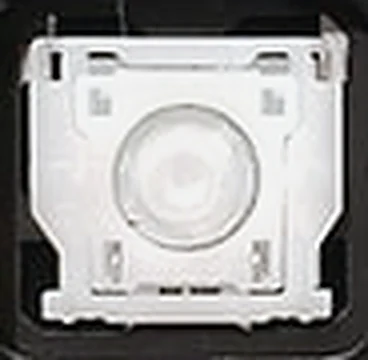
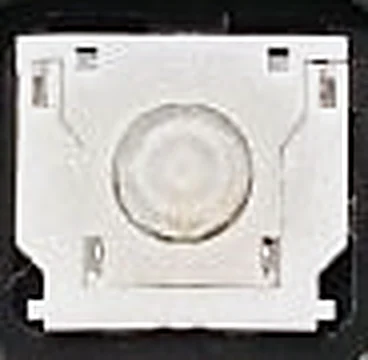
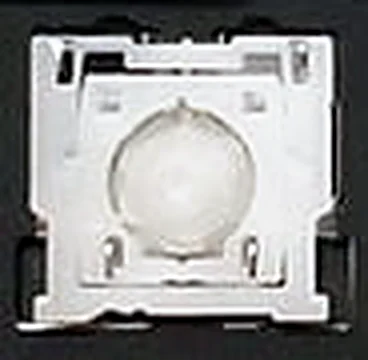
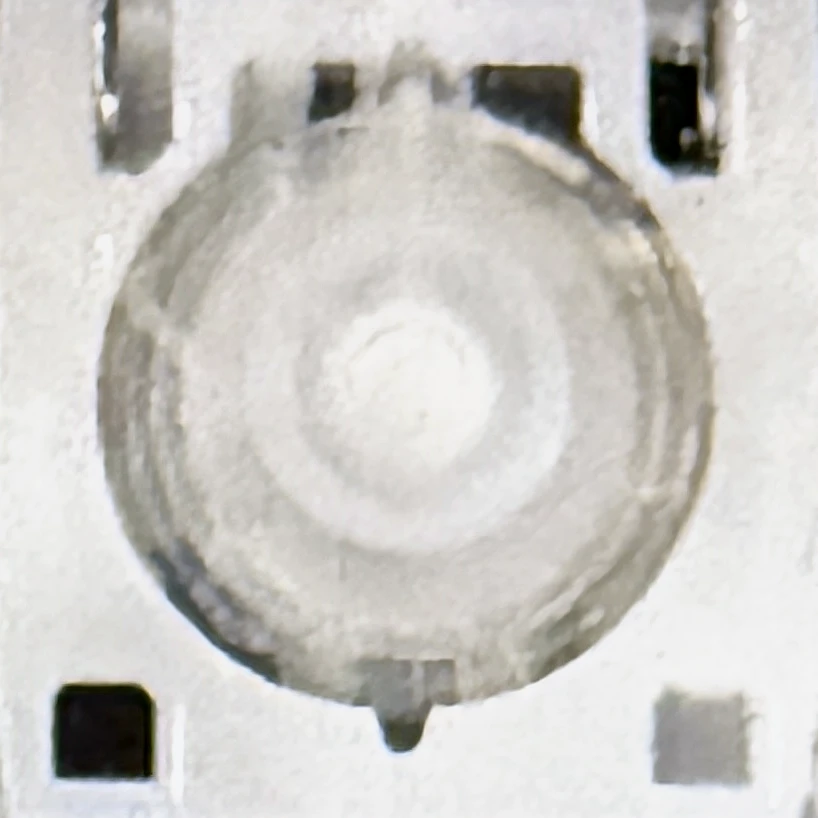
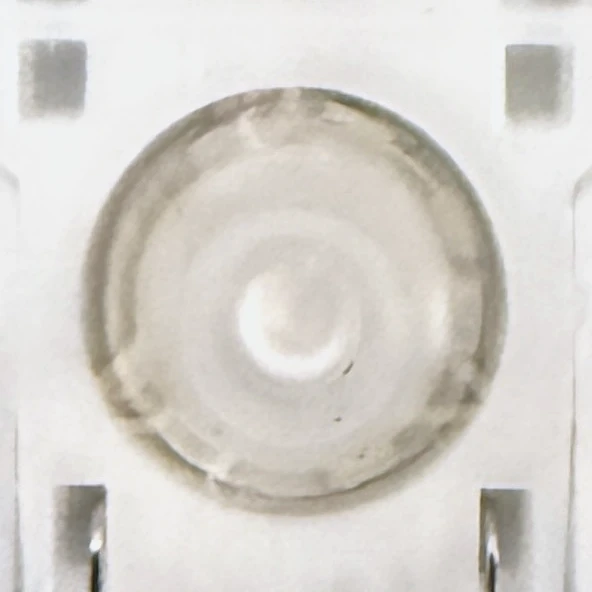
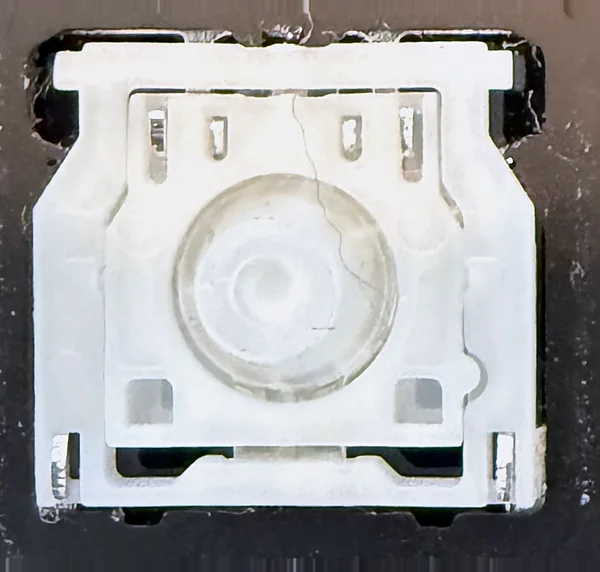
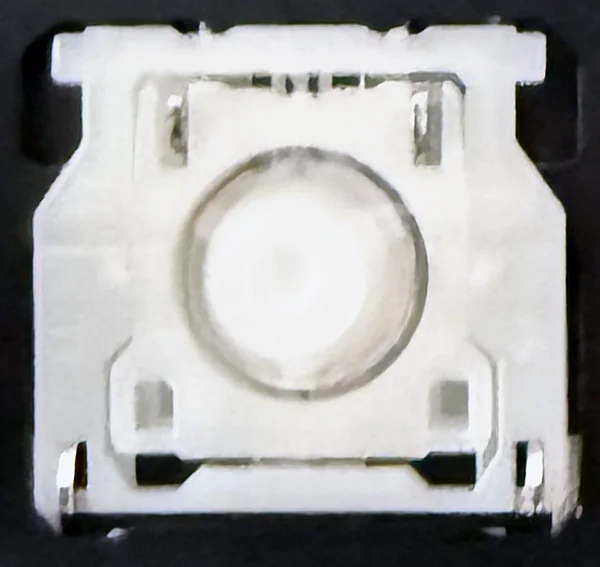
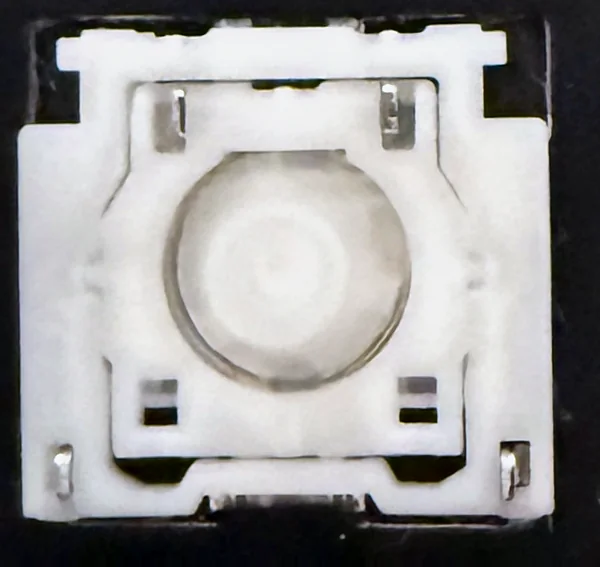
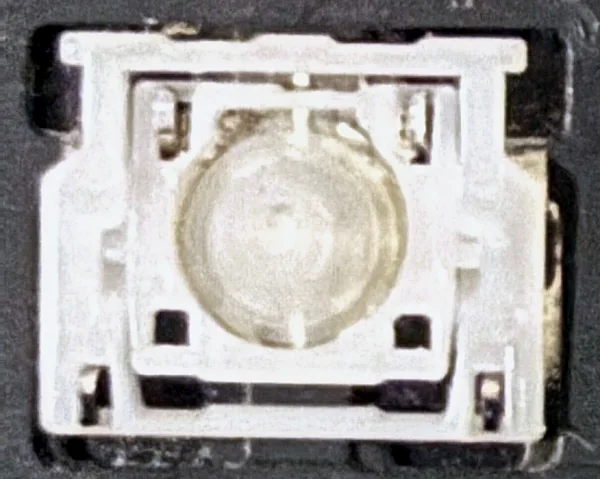
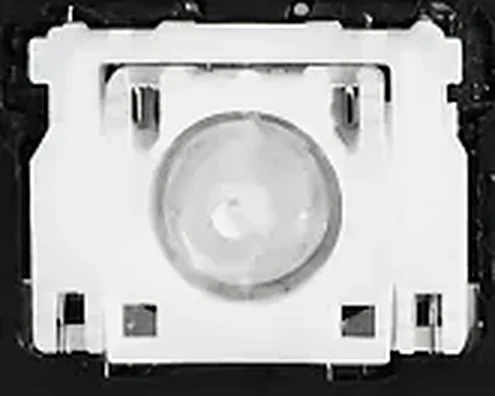
Dell built the Latitude 3150 with three different retainer clips, the small plastic hinge under each key. The model number can't tell us which one is in your laptop, so it has to be matched by eye.
- Look at the exposed clip where your key is broken or missing.
- Compare it with each of the three photos below and choose the one that matches.
Can't tell? No problem. We can match it for you.
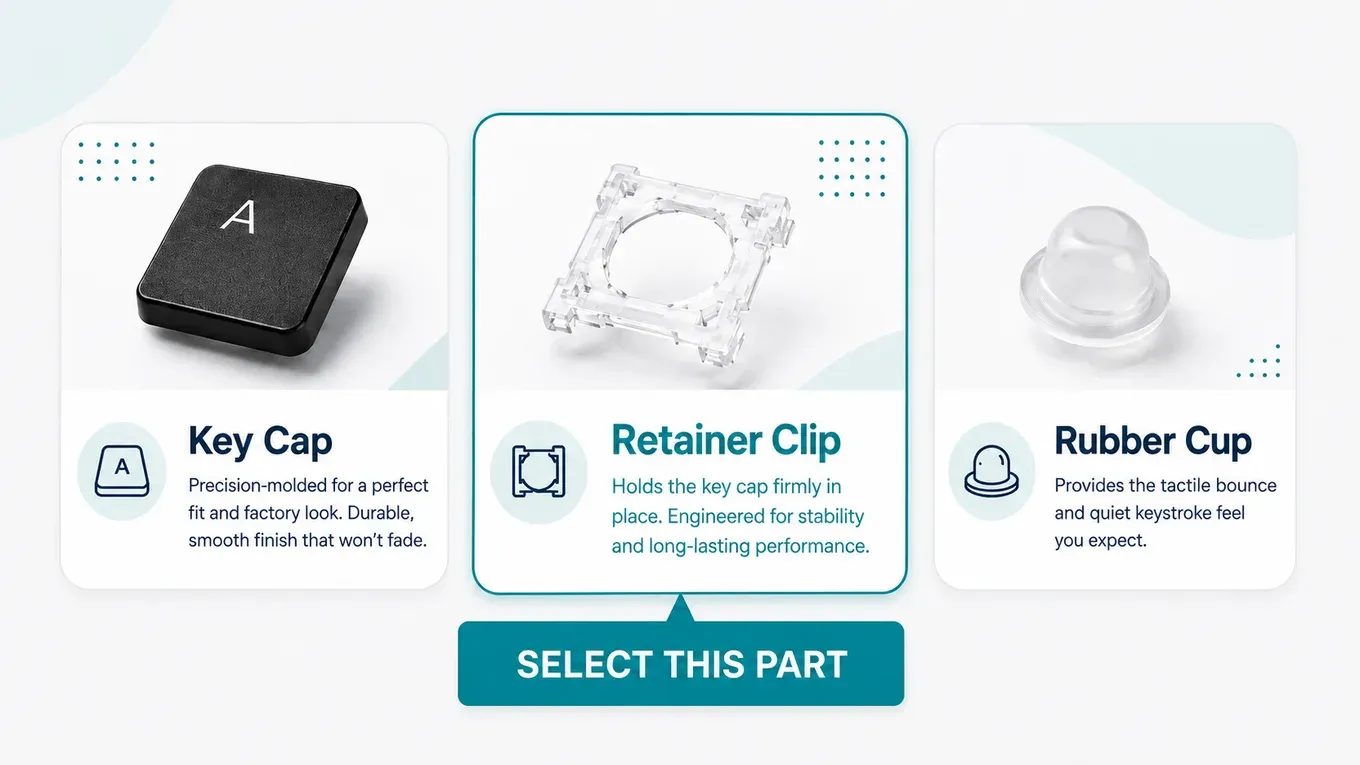
Which clip matches yours?

Option 1 of 3 Part # DA43
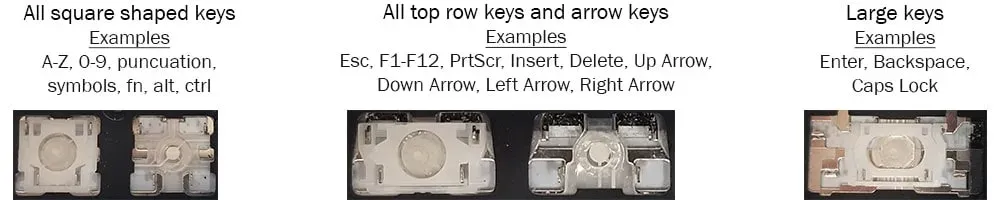
Option 2 of 3 Part # DB43

Option 3 of 3 Part # DD43
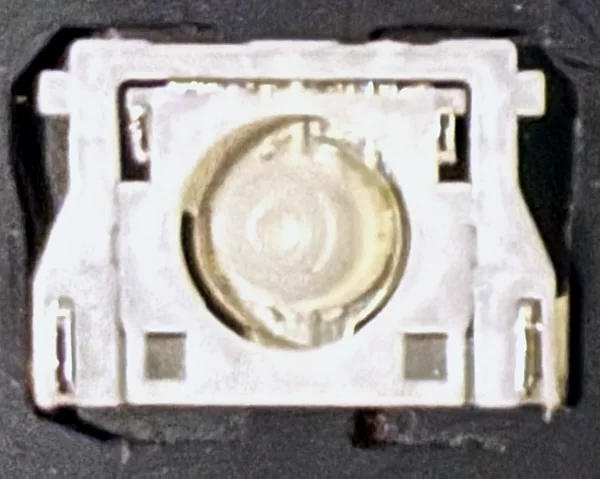
Not sure? We'll match it from a photo
A real person compares your photo with our parts. Choose whichever way suits you.
Order now, send a photo after
-
Pick your keys and check out. We place a temporary hold on your card. You aren't charged yet.
-
Snap a photo of your keyboard with your phone, using the QR code or the link we email you.
-
We confirm your clip, charge the correct amount (never more than the hold) and ship.
Send a photo first
-
Send us a clear photo of the clip area.
-
We reply within 24 hours with your clip style and a link.
-
Come back through the link to place your order.
Clip Style Help Response
Copy the generic reply that sends a customer back here with that clip preselected.

Part #: ← Select a clip style above
starting from
$8.95
per full key repair kit (cap + retainer + cup)
Free US shipping on orders up to $75. No hidden fees.- 1 This image shows your exact keyboard model. Check the photo matches your keyboard.
- 2 Hover over the keyboard to highlight individual keys. Tap the key you need to replace to add it to your cart.
- 3 Click the key you need to replace to add it to your cart.
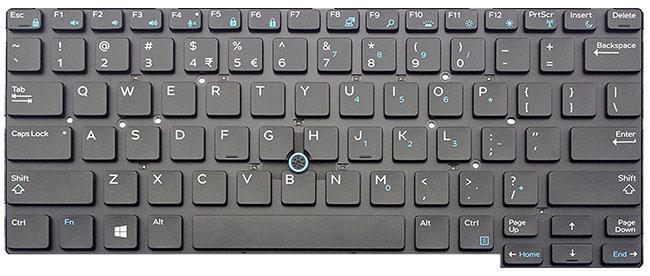
Does this match your keyboard?
Compare the key layout, especially the arrow keys and the top row, with your laptop.
Not your keyboard? Choose a different model or versionLetters
Numbers & Symbols
Function
Editing
Keyboard Controls
Navigation
- Ships in 1–2 business days
- Over 4 million keys in stock
- Free installation guide included
What's in the Kit
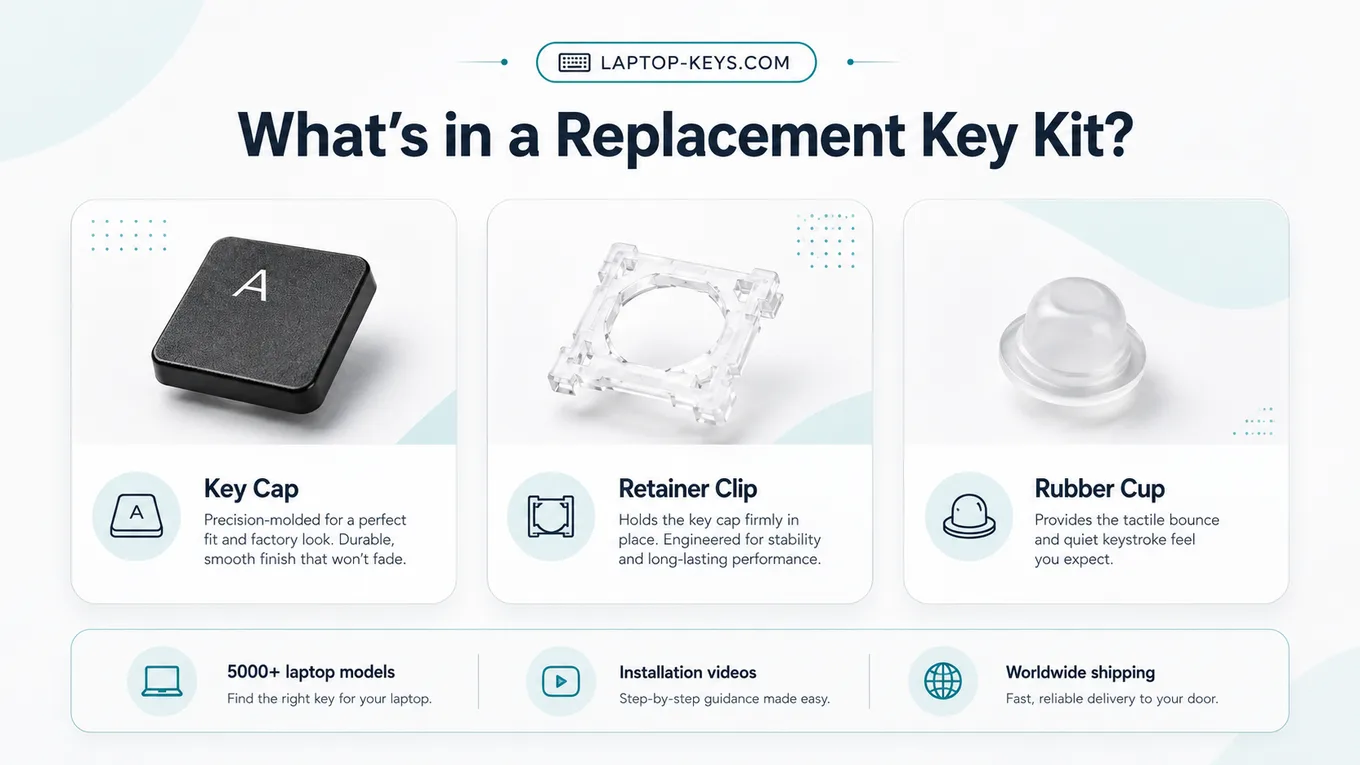
Every order includes all three parts for the selected key — most repairs only need one of them, so you're covered whichever piece broke.
How to Replace a 3150 Key
- Confirm the exact Dell model number before ordering.
- Select the damaged key on the keyboard layout on this page.
- Compare any retainer clip options shown for that model.
- Remove the broken key parts carefully from the keyboard.
- Snap the replacement retainer, rubber cup, and key cap into place.
- Test the key travel and confirm it registers normally.
Work slowly when removing the old key — the clips are small plastic parts. The installation guide has photos for every clip style.
Frequently Asked Questions
How do I know this is the correct key for my Dell Latitude 3150?
Match the full Dell model name before ordering. This page shows the exact Dell Latitude 3150 keyboard layout so you can select the key you need and confirm any clip type shown for that model.
What comes with a Dell Latitude 3150 replacement key kit?
Each kit includes the key cap, retainer clip, and rubber cup for the selected key. These are the parts normally needed when one laptop key is missing, broken, loose, or stuck.
Can I replace one Dell Latitude 3150 key instead of the whole keyboard?
Yes, when the problem is limited to one key cap, retainer clip, or rubber cup. If many keys stopped working after liquid damage or the keyboard base is damaged, a full keyboard repair may be needed.