
Lenovo Thinkpad L510 Replacement Keys
OEM replacement key repair kit for the Lenovo Thinkpad L510. Each kit includes the keycap, retainer clip, and rubber cup — everything needed for a complete repair.
Please take a moment to determine your clip style.
- 1)Look at the parts under the key you are replacing. If it has already come off, they are exposed; if not, remove the key first.
- 2)Compare your retainer clip with the pictures below.
- 3)Click 🔍 Zoom to magnify, then click the picture that matches.
The retainer clip is the plastic hinge that holds the key to the keyboard.
Not sure which one matches?
You can still order — we'll confirm the exact clip from photos before we charge you.
Part # T12B
Part # T12C
Part # T12F
Not sure which one matches?
You can still order — we'll confirm the exact clip from photos before we charge you.
How “I can’t decide” works
Not sure which retainer clip you have? You can still order today.
- 1
Choose “I can’t decide” and pick the keys you need from the keyboard as usual.
- 2
Check out. We place a temporary hold on your card — you aren’t charged until your clip is confirmed.
- 3
Send photos of your keyboard with a key removed. After checkout, scan your QR code to send them straight from your phone (link also emailed).
- 4
We confirm your clip, charge only the correct amount, and ship your order.
Clip style: to be confirmed
No problem — you can still order. We'll place a temporary hold on your card for the highest possible price, then you'll send us a few photos through your Clip Verification Portal. A real person matches your clip, and we only charge the correct amount — never more than the hold. Your order ships once your clip is confirmed.
Part #: ← Select a clip style above
starting from
$7.95
per full key repair kit (cap + retainer + cup)
Free shipping. No hidden fees.- 1 This image shows your exact keyboard model. Check the photo matches your keyboard.
- 2 Hover over the keyboard to highlight individual keys. Tap the key you need to replace to add it to your cart.
- 3 Click the key you need to replace to add it to your cart.
Does this match your keyboard?
Compare the key layout, especially the arrow keys and the top row, with your laptop.
Not your keyboard? Choose a different model or versionLetters
Numbers & Symbols
Function
Editing
Keyboard Controls
Navigation
- Ships in 1–2 business days
- Over 4 million keys in stock
- Free installation guide included
What's in the Kit
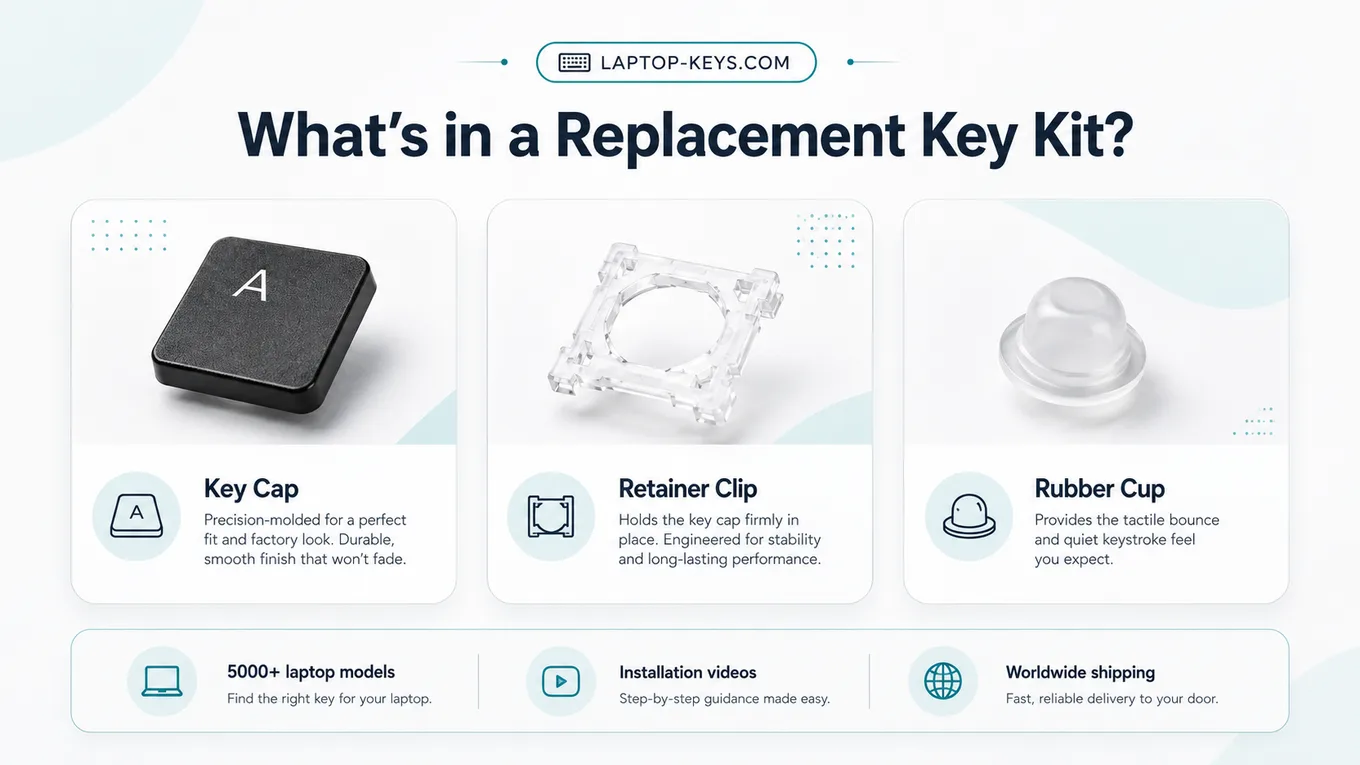
Every order includes all three parts for the selected key — most repairs only need one of them, so you're covered whichever piece broke.
How to Replace a L510 Key
- Confirm the exact Lenovo model number before ordering.
- Select the damaged key on the keyboard layout on this page.
- Compare any retainer clip options shown for that model.
- Remove the broken key parts carefully from the keyboard.
- Snap the replacement retainer, rubber cup, and key cap into place.
- Test the key travel and confirm it registers normally.
Work slowly when removing the old key — the clips are small plastic parts. The installation guide has photos for every clip style.
Frequently Asked Questions
How do I know this is the correct key for my Lenovo Thinkpad L510?
Match the full Lenovo model name before ordering. This page shows the exact Lenovo Thinkpad L510 keyboard layout so you can select the key you need and confirm any clip type shown for that model.
What comes with a Lenovo Thinkpad L510 replacement key kit?
Each kit includes the key cap, retainer clip, and rubber cup for the selected key. These are the parts normally needed when one laptop key is missing, broken, loose, or stuck.
Can I replace one Lenovo Thinkpad L510 key instead of the whole keyboard?
Yes, when the problem is limited to one key cap, retainer clip, or rubber cup. If many keys stopped working after liquid damage or the keyboard base is damaged, a full keyboard repair may be needed.